Versioning and releasing larger Chrome extensions
Abstract
I've been developing Chrome extensions for the last few years, and whilst most don't need a lengthy development phase, if you want to develop alpha or beta versions, the limitations of Chrome's manifest version (in comparison to Semver's more flexible schema) can trip you up.
This article is somewhat of a retrospective of my journey through poorly-executed versioning, awkward naming, tagging and releases, to final robust versioning strategy whilst developing Control Space.
Chrome extension version format
Intro
The version string in Chrome extensions may contain 1 to 4 integers. Most commonly this might be:
major
major.minor
major.minor.patch
major.minor.patch.build
It cannot contain text so indicating -alpha or -beta releases is problematic.
As a fallback, you can use a "version name" but that doesn't fix the numerical conundrum:
{
  "version": "1.0.4.0",
  "version_name": "Control Space 1.0 (Beta 4)"
}For those unfamiliar with the build unit, it is intended to be a number that is incremented each time there is a build. Ideally it is set in CI and is used to reference a snapshot of a particular state of the code, no matter the version.
Prerelease numbering
Numbering pre-releases in Chrome can leave you high and dry if you plan badly, or misjudge your launch timeline.
If you make the mistake of setting 1.0 too early and have published on the Chrome Web Store, you can't replace it with a revised, lower version because the Web Store won't accept it.
As such, if your aim is a neat-and-tidy 1.0 release (more on this later) you're going to have to stick to 0.x.y versions. If you screw up and go to 1.0 too early you then may need to hack the patch or build units (like I did for too long):
| Semver | Chrome | Chrome (hack) | Work |
|---|---|---|---|
0.0.0 | 0.0.0.1 | Initial commit | |
0.1.0 | 0.1.0.2 | Prerelease work | |
1.0.0-alpha | 0.1.1.3 | 1.0.0.3 | Begin work on Version 1 |
1.0.0-beta | 0.1.2.4 | 1.0.1.4 | |
1.0.0-rc | 0.1.3.5 | 1.0.2.5 | |
1.0.0 | 1.0.0.6 | 1.0.3.6 | Release Version 1 |
The problems of thinking in Semver
If you're thinking in terms of Semver, the lack of prerelease labels has drawbacks:
- you can't identify “beta” versions i.e.
1.0.0-beta-05 - you can't move from
alphatobetaorrcas the format doesn't support it - you may have to abuse
minor,patchorbuildunits to achieve your goals
Additionally:
- version strings for new features may always be out of date:
- let's say you've released with manifest version
1.0.0 - you start working and committing code for the
2.0.0version - as there's no way to specify
2.0.0-betathe manifest states1.0.0although the code is technically2.0-ish
- let's say you've released with manifest version
- Git tags are ambiguous:
- when I was thinking in terms of a protracted "beta" phase, I used a mix of Chrome
x.y.z.0manifest versions and SemvervX.Y.Z.beta-NGit tags, so up until some theoretical1.1.0release, the two would never align
- when I was thinking in terms of a protracted "beta" phase, I used a mix of Chrome
- it’s confusing for everyone:
- tagging releases, generating release notes and creating zips was an ongoing headache as there was no clear system on how the incompatible formats were supposed to marry-up
Versioning for product releases
Where versioning matters
To give some context to the rest of the article, let's review the all versioning touchpoints.
There are various terms and values to keep track of:
- manifest
version, e.g.1.0.0.n - potential manifest
version_name, e.g.Control Space 1.0 - Git
tags, e.g.v1.0.0
Which may be used in the following places:
- Chrome extension manifest
- local build scripts
- zipped extension files (sent to testers or uploaded to the store)
- one or more unzipped extension folders used for local browser testing
- changelog
- release notes
- GitHub issues
- marketing communications
- Chrome web store page
- extension options page
- support tickets
As you can see, it's critical to settle on a straightforward and robust system that needs no additional interpretation.
Stepping outside the Semver box
I spent a good few days researching, strategizing and testing ways to move to a new versioning paradigm and build pipeline, and ultimately realised that I had boxed myself in thinking in Semver terms in a Chrome Versioned world.
The epiphany was realising that focusing on major and beta monikers (aka "breaking changes" and "pre-releases") was missing the point as I was building a product not a library; fixating on how to satisfy these library-oriented constraints was the cause of my product-versioning woes:
- there isn’t really a concept of a “breaking change" in most products:
- using a
majorversion bump as a signal to “review before moving forwards” means nothing to users - factoring-out the use of
majorcheckpoints misses an opportunity to communicate additional information
- using a
- the idea of "alpha" and “beta” doesn’t make sense; builds are either:
- private, i.e. a zip file with testers
- public, i.e. the extension on the web store
- juggling named versions and
.beta-nnmonikers is confusing:- for end users it's the
majorversion that matters, i.e. "do I have the newest features?" - for beta testers it’s the
build, i.e. "is there something for me to review?"
- for end users it's the
The other big issue was that being in (air-quotes) "beta" for so long, there was no incentive to publicly release until I felt the product was (air-quotes) "one-dot-oh" ready. What I should have done was concentrate on regular stable releases, and communicated properly what each release was about.
Bringing it all together
Versioning scheme
Given the above, I concluded:
- counting down to
1.0(i.e.alpha,beta) serves no practical purpose - there is no such thing as a
beta-nn, there are just "sprints" and releases majorversions would be better-used to represent "product goals", rather than "breaking changes"- without
majorversion constraints,minorversions (i.e. features) have more meaning within the release - features will be released only when it makes sense, so an initial release could be
x.5.2(vs an alignedx.0.0) - there is no requirement to consider
betaprivate andn.0.0public; it's either with testers or it's published - the
buildunit identifies which release is the most recent, no matter what the other units - using a manifest
version_nameoffers no real value – and worse – hides the realversionstring
So for a project like Control Space how does that translate?
| Unit | Purpose | Example |
|---|---|---|
major | Sprint | Improve window management |
minor | Feature | Add context menu to window header |
patch | Fix (on main) | Fix Settings panel CSS bug |
build | PRs / test builds | Send build to testers to try out new context menu |
I decided I wanted to move to this new versioning scheme immediately:
- what had been
1.0.16.0(1.0 Beta 16) would jump to16.0.0 - individual features would now have proper
minorhomes in16.1,16.2, etc - fixes could now be properly recognised with
patchreleases, i.e.15.0.1 - the ever-incrementing
buildidentifier would remove ambiguity from Web Store submissions
Branching strategy
The reality of moving away from a Beta-oriented (i.e. private) workflow to more regular public releases and product sprint cycles has made me decide to switch from trunk-based development to Gitflow.
Though it might be seen as unfashionable in the era of CI, I think this should allow me to patch the currently-released major version more easily; main is the released version (15.x) whilst develop is the current sprint (16.x).
I'm no Git expert but as there is only me on the project, I don't foresee this posing any problems.
Release strategy
Being in a never-ending Beta means that often, projects don't end; it's just a constant feeding of issues through the pipe, piling yet more tickets into a hungry GitHub Projects "Todo" column.
Moving forwards, I think it should be much easier to plan sprints and identify what goes in and what gets left.
This should hopefully result in clearer product releases where a single feature-set is executed on, and the communication and marketing around that should be simpler as well, for example:
August 2023
Control Space – Sprint 16
Polished setup, help and first-use experience ready for public release
Updating versions
Updating the major version
As part of trying to tally a version with a sprint, I am experimenting with updating the major version at the start of the sprint rather than the release of the feature.
Taking the “Improve window management” project example above, I might update the manifest from 15.1.0 to 16.0.0 as soon as I create the branch. This means that features should at least show the correct major version (aligning to the current sprint) rather than being linked to 15.1.0 as they might be otherwise.
Additionally, as there's no longer a requirement to plot intercept courses to x.0.0 versions, features will be released as it makes sense to release them, so the first public release for a sprint branch may be something like 16.3.0, with additional minor releases / features following as they are completed.
Updating the build version
For clarity up until now I have omitted the build version, but in this new paradigm, we might start with:
16.0.0.123 (number of closed issues)I've created a script to bump version units, which I can run manually as I commit and push features, as well as hook it up to a GitHub Action which bumps the build each time a PR is merged.
Additionally, I could run multiple local builds for testers, so the final versions for the 16.x builds might look like:
16.0.0.123
16.1.0.124
16.2.0.125
16.3.0.126
16.3.0.127
16.3.0.128
Even though only the final 16.3.0.n version might be merged.
Fixing bugs and updating the patch version
Fixing bugs should be fairly straightforward by branching off main.
The main thing to check is that build numbers between branches are reconciled:
- when committing the fix in
main, ensurebuildmatches the latest infeature - when merging the fix to
feature, ensure the latestbuildis used
Though, if you forget it doesn't matter as the overall version strings should always be different.
Note that the versioning for a theoretical CSS fix in the live 15.x branch bug might go like this:
| Branch | Version | Work | Change |
|---|---|---|---|
main | 15.0.0.123 | Feature 15 is live | - |
feature | 16.0.0.123 | Start "Window Management" project | major |
feature | 16.1.0.124 | Add "Context menu" feature | minor build |
main | 15.0.1.125 | Fix some CSS issue (update build to latest) | patch build and release |
feature | 16.1.0.125 | Pull in the fix (ensure latest build) | - |
feature | 16.2.0.126 | Add feature | minor build |
feature | 16.2.0.127 | Ready to release | build and release |
The final releases would be:
15.0.0.123onmain15.0.1.125which adds the CSS fix16.2.1.127which adds the the16.xbranch along with the fix
And the incrementing build should ensure identical versions are never uploaded to the Chrome Web Store!
Changelogs vs release notes
In recent years I've switched from changelogs to release notes.
Changelogs are good for developers but no good for customers or marketing as they are too technical and granular. A user doesn't care that you "refactored some component" they care that you "added support for context menus".
And creating release notes at the end of a sprint from changelog.md is hard, as you've forgotten the context a month or so later. I prefer to just update the release notes for the sprint as I commit the feature:
Windows
- added support for context menus
- made shortcut keys combos clearer
- ...
If and when the notes make it into your public-facing site, they are much easier to develop in this format. Many products, such as Chrome and Chrome Dev Tools use their blog to provide additional context.
Also, for developers, GitHub already provides a neat log of changes between releases by comparing commits.
Summary
To summarise:
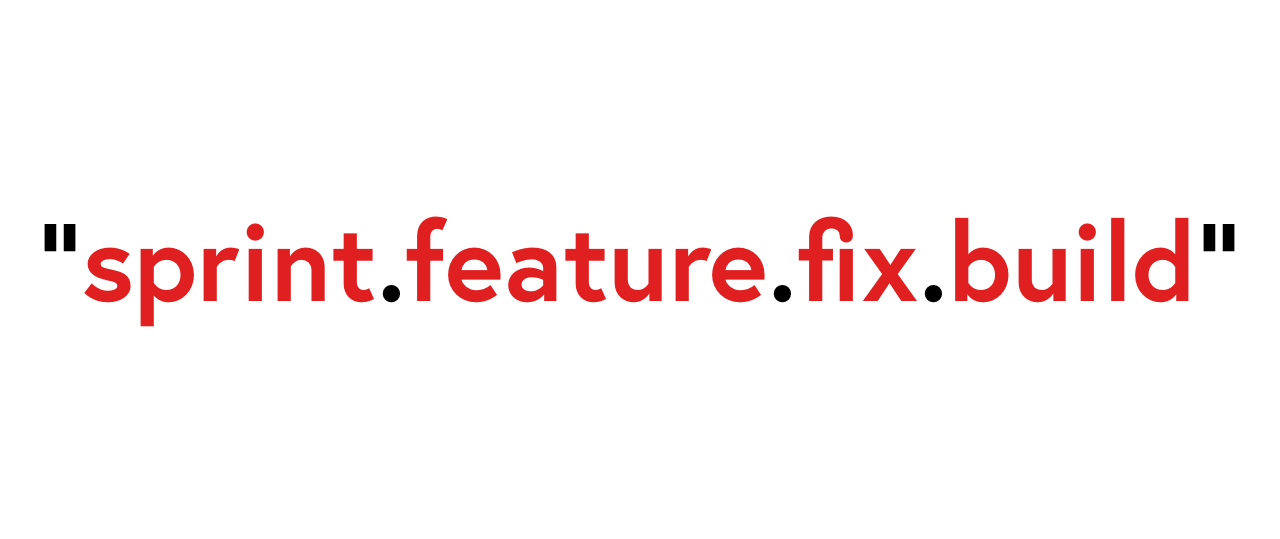
- Think
sprint.feature.fix.buildvsmajor.minor.patch.build majorversions signify the start (rather than the end) of a block of product featuresminorversions count from the currentmajorversionminorversions are released as and when they make sense- Work is beta by definition until published
- Use
buildversions to identify changes in code more granular than the feature level - Create
patchreleases as needed
Note that this approach may not suit you and your project (and you should do what suits you) but is something I shall be moving forwards with, for now.
I'll be sure to update this post if anything changes or I notice any shortcomings!
Addendum
How do other extensions handle versioning?
Looking at my Extensions page, I was interested to see which extensions had larger major build numbers.
Creating a new profile, I installed around 20 of the most popular extensions, and ordered by version string:
| Extension | Users | Size | Builder | Major | Minor | Patch | Build |
|---|---|---|---|---|---|---|---|
| Lighthouse | 1m | 27 KB | Bundler | 100 | 0 | 0 | 0 |
| Honey | 10m+ | 4.5 MB | Compiled | 16 | 1 | 2 | |
| Grammarly | 10m+ | 37 MB | Webpack | 14 | 1118 | 0 | |
| Todoist | 700K | 85 KB | - | 11 | 1 | ||
| Octotree | 300K | 3.4 MB | Bundler | 7 | 9 | 3 | |
| Loom | 5m | 13 MB | Webpack | 5 | 5 | 26 | |
| Google Keep | 6m | 4 MB | Closure | 4 | 23312 | 540 | 1 |
| LastPass | 10m+ | 55 MB | Webpack | 4 | 119 | 0 | |
| Tampermonkey | 10m+ | 1.5 MB | Bundler | 4 | 19 | 0 | |
| Dark Reader | 5m | 600 KB | - | 4 | 9 | 64 | |
| Save to Pocket | 2m | 356 KB | Bundler | 4 | 0 | 6 | |
| Save to Google Drive | 3m | 650 KB | Closure | 3 | 0 | 4 | |
| Momentum | 3m | 14MB | Bundler | 2 | 10 | 0 | |
| Google Translate | 10m+ | 236 KB | Closure | 2 | 0 | 13 | |
| OneTab | 2m | 1.2 MB | Bundler | 1 | 76 | ||
| Google Docs | 10m+ | 88 KB | Closure | 1 | 65 | 0 | |
| Zoom | 7m | 240 KB | Bundler | 1 | 8 | 20 |
I'm not sure how conclusive this is, but perhaps:
- some developers might reconsider their versioning scheme
- some projects use
major.build.minor(Google Keep)
How do other developers handle versioning?
I posted this article on the Chromium Extensions channel and got some great input:
- Oliver Dunk (Extensions DevRel at Google) notes leading zeros in versions are stripped; something to be aware of
- Erek Speed implements
major.minor.patchusing Semantic Release to automate tagging and releases - Gaurang Tandon suggests another modified versioning scheme:
minorfor public releases,patchfor beta releases andbuildfor internal releases
How does Chrome handle versioning?
Chrome is built upon the Chromium project, which has a very specific release and channel lifecycle.
Their versioning scheme works like this:
major.minor.build.patchThe web page explains it like this:
MAJOR and MINOR track updates to the Google Chrome stable channel. In this sense, they reflect a scheduling or marketing decision rather than anything about the code itself. These numbers are generally only significant for tracking milestones. In the event that we get a significant release vehicle for Chromium code other than Google Chrome, we can revisit the versioning scheme.
The BUILD and PATCH numbers together are the canonical representation of what code is in a given release. The BUILD number is always increasing as the source code trunk advances, so build 180 is always newer code than build 177. The PATCH number is always increasing for a given BUILD. Developers and testers generally refer to an instance of the product (Chromium or Google Chrome) as BUILD.PATCH. It is the shortest unambiguous name for a build.
For example, the 154 branch was originally released as 0.3.154.9, but now stands at 1.0.154.65. It's the same basic code with a lot of bug fixes applied. The fact that it went from a Beta release to several 1.0 stable releases just reflects the decision to call some version (1.0.154.36) 'out of Beta'.
Note that (as of this article) the public stable version Chrome is 115 and the latest Chromium branch is 117.
Resources
Finally, links to the resources which helped me reach a conclusion on my own versioning strategy:
- What exactly is the build number in MAJOR.MINOR.BUILDNUMBER.REVISION
- When do you change your major/minor/patch version number?
- How/When should I update the version number?
- When should I increment version number?
- When to increment build number?
- How often should you ship your product releases
- Semantic Versioning with CI/CD and semantic-release