

Spaceman
Overview
NPM PNPM or Yarn workspaces provide a streamlined workflow to manage multiple packages within a single repository, but require a certain amount of knowledge, configuration and terminal-fu for everyday tasks.
Spaceman makes running complex or multistep tasks easier by wrapping them in prompts, and batching commands on confirmation.
Why read the docs when you can just answer questions?
Usage
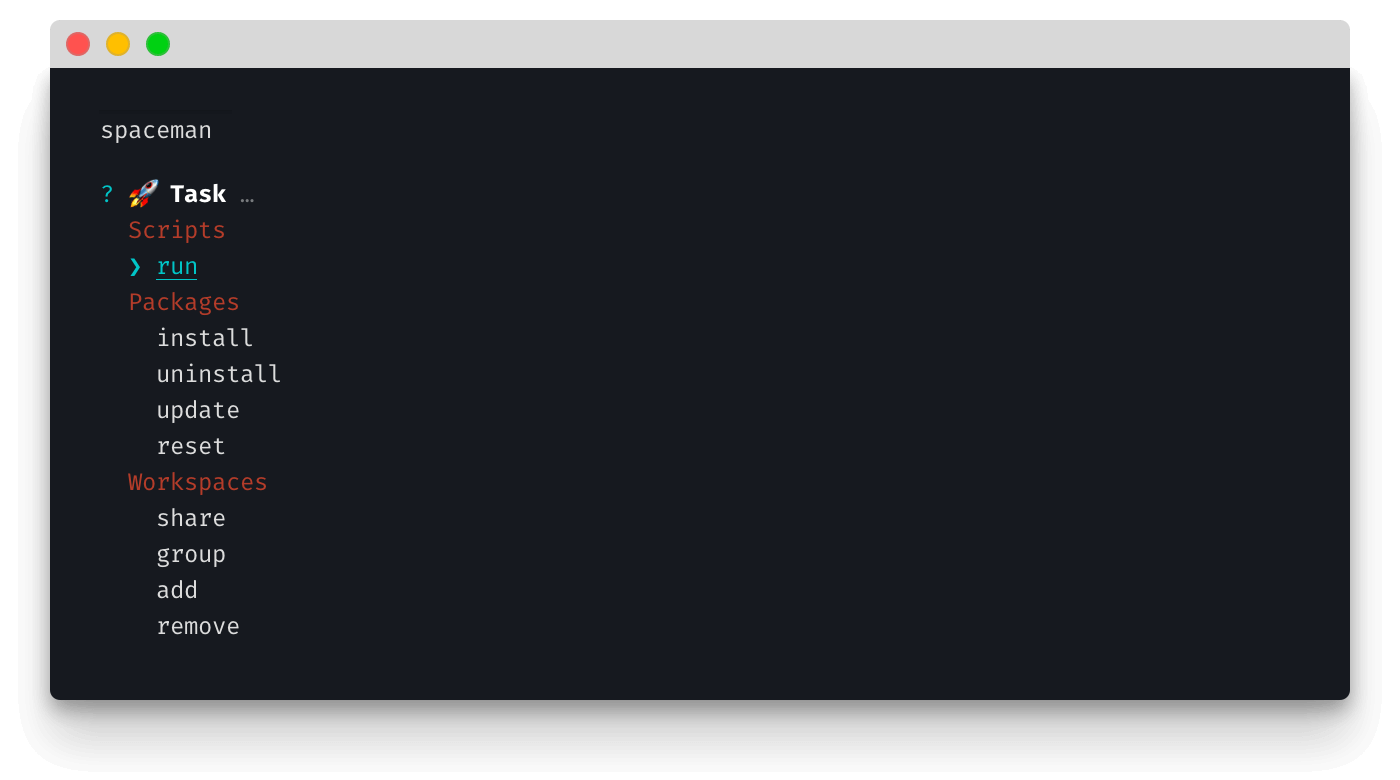
Once installed, run the package by typing spaceman then pick the task you want to run:
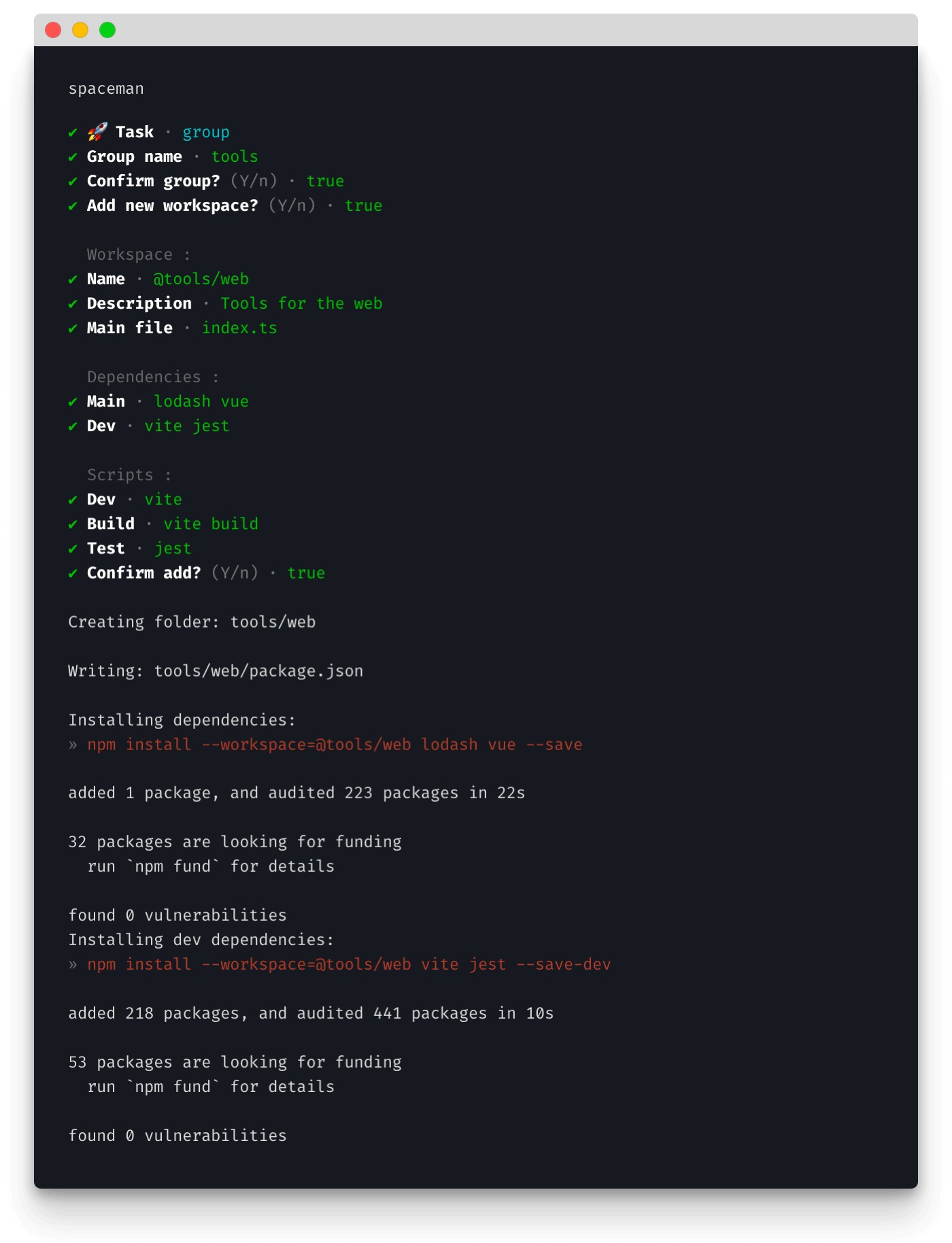
For example, creating new workspaces is easy; just answer the prompts and Spaceman will create all folders, package files, stub files and install dependencies:
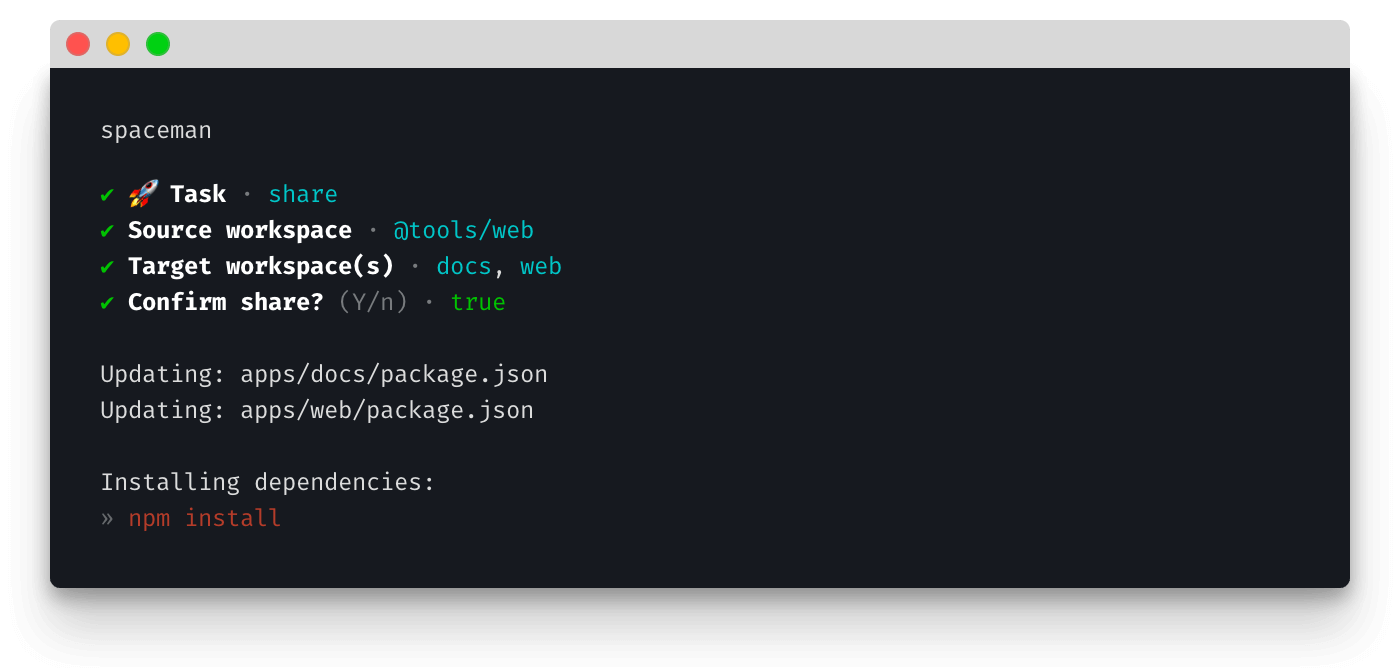
Once created, it's easy to share with other workspaces too; just follow the prompts:
Tasks
Spaceman simplifies managing scripts, packages and workspaces:
Scripts
- Run
Run any root or package script
Packages
- Install
Install one or more packages to a workspace - Uninstall
Uninstall one or more packages from a workspace - Update
Update one or more packages in a workspace - Reset
Remove all Node modules-related files in root and all workspaces, and reinstall
Workspaces
- Share
Make a workspace available for use within another workspace - Group
Add a new workspace group - Add
Add a new workspace - Remove
Remove an existing workspace
No more navigating folder structures and rewriting configs; Spaceman does it all from one simple CLI!